
TimeToSignUp offers three visibility options for sign up sheets:
- Visible
When a sign up sheet is visible, participants can see the sign up sheet and sign up for available items.
Visible (Closed Items)
When a sign up sheet is visible with items closed, participants can view all items and existing sign-ups, but they cannot sign up for additional items. This option is useful when you want participants to review information without allowing new registrations.
Not Visible
When a sign up sheet is not visible, it is hidden from participants and can only be accessed by administrators.
To change the visibility of a sign up sheet:
- Log in to your account.
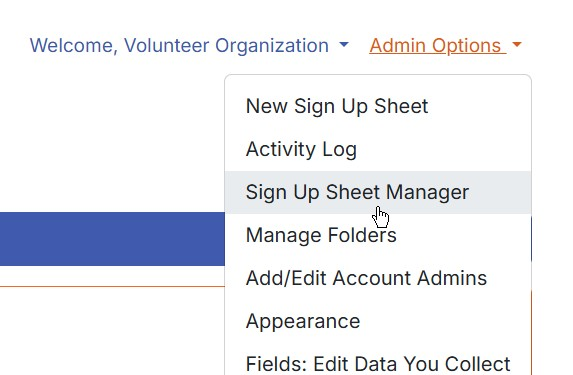
- Using the "Admin Options" drop-down menu in the upper-right corner of the screen, select "Sign Up Sheet Manager."
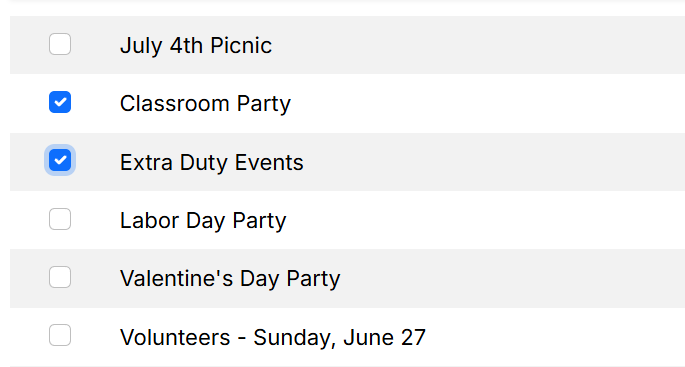
- Select the TimeToSignUp sheet(s) you want to update.
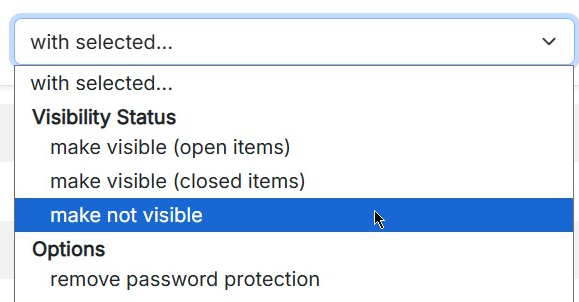
- Using the "With selected..." drop-down menu, choose one of the following options:
- Make visible (open items)
- Make visible (closed items)
- Make not visible
Please note that these options are available only to Platinum Level subscribers.