
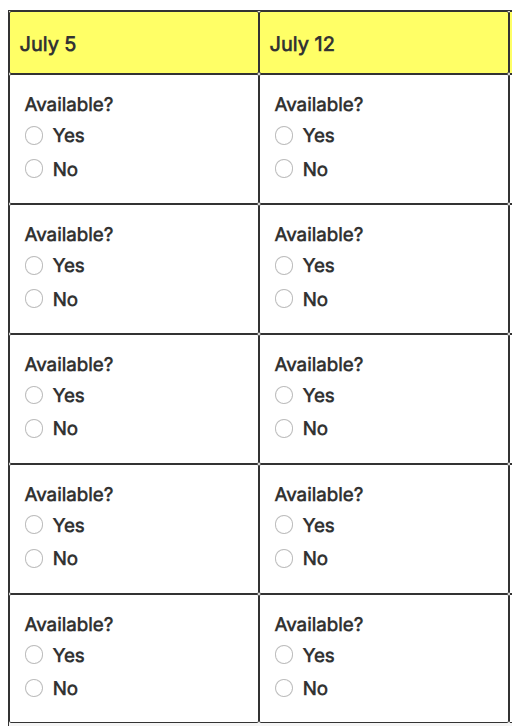
The Yes / No feature allows participants to respond to items with a simple Yes or No instead of signing up for a quantity-based item. This can be useful when collecting attendance information, preferences, availability, interest levels, or other simple responses.
When Should I Use a Yes / No Column?
A Yes / No column is ideal for situations such as:
- Event attendance
- Travel planning
- Volunteer availability
- Meal preferences
- Parent participation
- Interest surveys
- RSVP-style responses
Examples:
- Will you attend the meeting?
- Would you like to volunteer?
- Are you interested in this activity?
- Will you be traveling on this trip?
Please note that this feature is available to Platinum subscribers only.
Creating a Yes / No Column
- Be sure you are logged in as a TimeToSignUp admin.
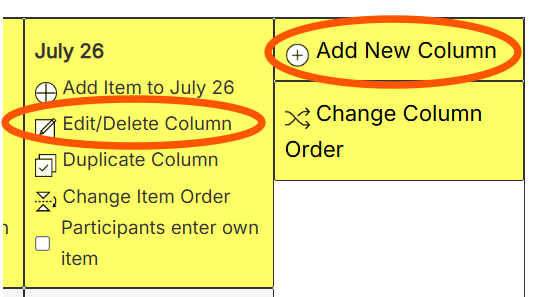
- Add a new column by clicking on "Add new column" or edit an existing column by clicking on the "Edit/Delete" column heading.
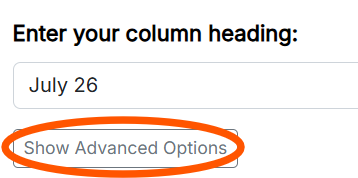
- Press the "Show Advanced Options" button
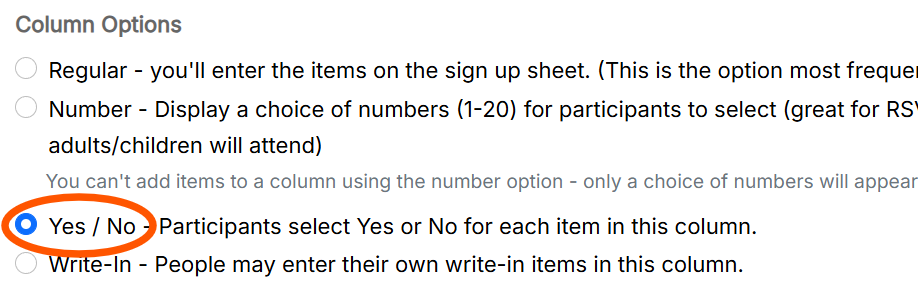
- Under Column Options, select Yes / No.
- Press the "Save Changes" button at the bottom of the page.
Any items added to a Yes / No column will automatically allow participants to select either Yes or No.
Viewing Responses
After participants respond:
- The item remains visible on the sign up sheet.
- Administrators can see whether each participant selected Yes or No.
- The participant's name is displayed along with their response.
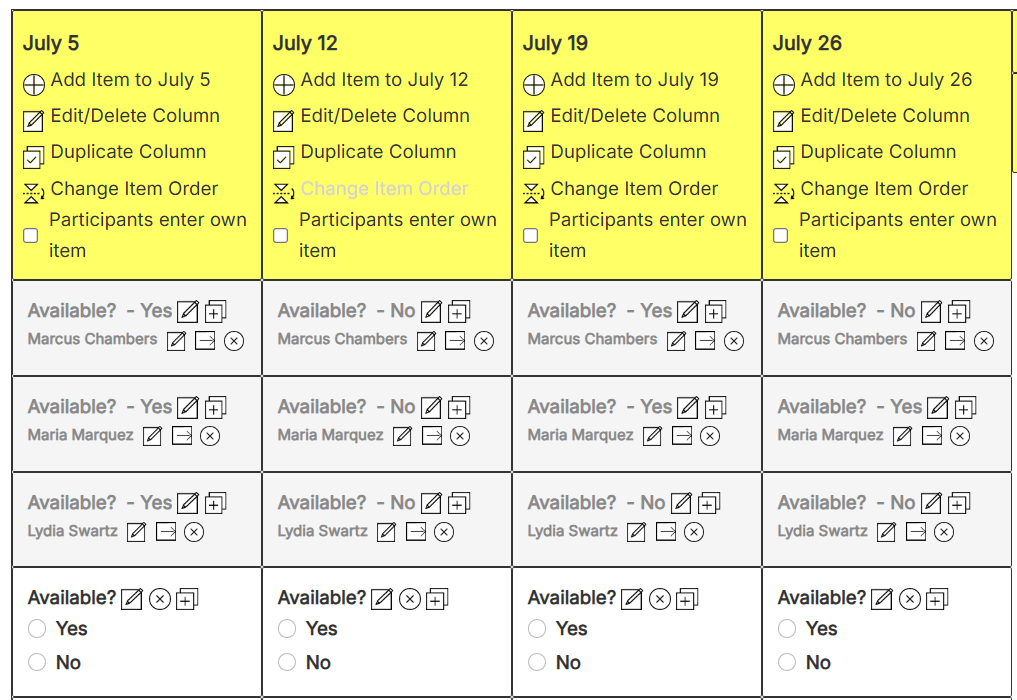
The participant's Yes or No selections are included in:
- Sign up confirmations
- Reminder emails
- Participant records
- Administrative reports